IoT reports and sensor data export, without manual work
Send sensor data to the people who need it on a schedule, build printable PDF reports from your widgets, and export any asset's data or events to CSV when you need it.
Someone still copies sensor data into spreadsheets every week
Managers, customers and auditors want numbers, not dashboard logins. Without scheduled reports, an engineer exports data by hand, cleans it up and emails it, every week, for every site.
Manual exports every week or month
Stakeholders without platform access get no data
Evidence for audits is assembled by hand
No quick way to share an asset's history
How it works
Three ways to get data out
01
Schedule a CSV report
In Reports, create a CSV report, pick asset templates and assets, set the weekdays, time and data interval, and add recipient emails.
02
Build a PDF report
Create an advanced report: lay out A4 pages with dashboard widgets and download the result as a PDF.
03
Export on demand
Get a CSV of any asset's data fields for a chosen range, or of its events, straight from the asset page.
Capabilities
Reporting that runs on its own
Set it up once and the data arrives in the inbox of whoever needs it.
Scheduled CSV reports
One CSV file per asset with every data field of its template, bundled into a single ZIP archive and emailed to each recipient.
Every week on chosen weekdays, or every month
Send time in UTC
Data interval: last hour, day, week, month or custom
Multi-asset selection
Add several asset templates to one report and pick specific assets or select all of them.
PDF report builder
Advanced reports are page-based A4 layouts. Add, reorder and remove pages, place dashboard widgets on each page and download a PDF.
Asset data export
On the asset page, choose data fields and a relative or exact time range and download a CSV.
Events export
Download the events of one asset or the whole organisation as CSV for the selected period: name, type, message and time.
History with aggregation
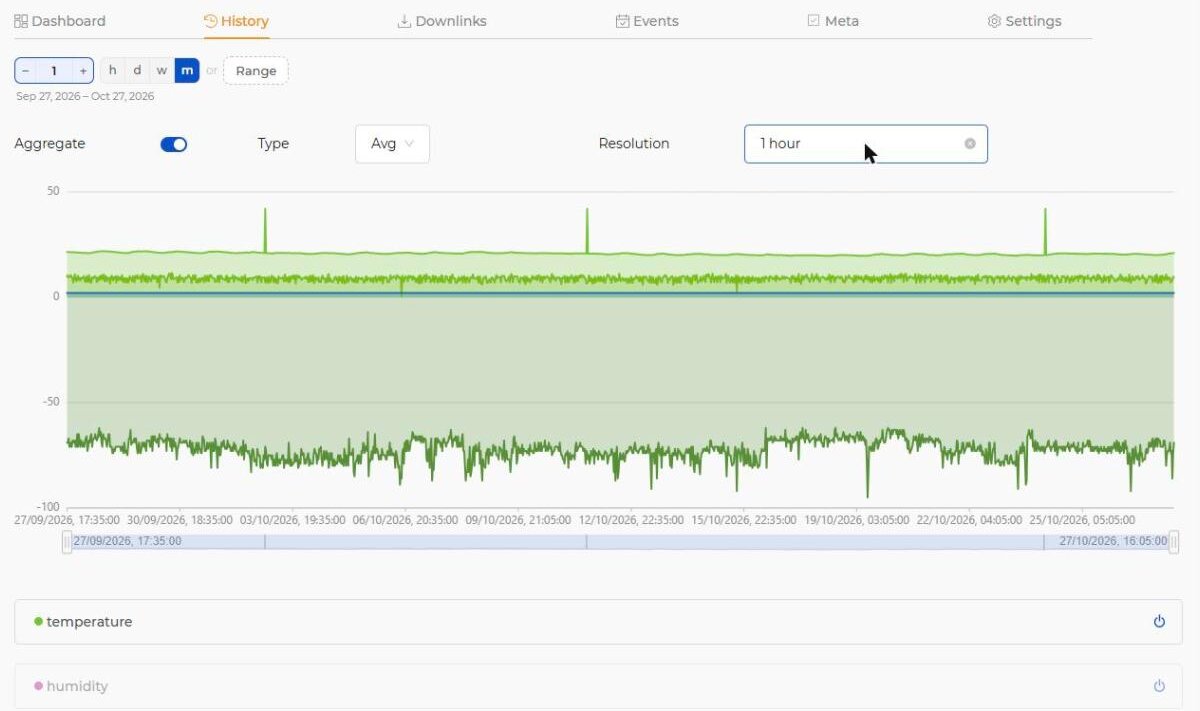
Explore an asset's history before exporting: min, max, average, sum or difference, at resolutions from 5 minutes to 1 week.
Access control
Creating, editing and deleting reports follow role permissions, and roles can be limited to specific reports.
At a glance
Report and export features
Scheduled reports
CSV per asset, bundled as ZIP, sent by email
Schedule
Every week (chosen weekdays) or every month, time in UTC
Data interval
Last hour, day, week, month or custom
PDF reports
Multi-page A4 layout from dashboard widgets, downloaded on demand
On-demand CSV
Asset data fields for a range; asset and organisation events
History view
Aggregation Min/Max/Avg/Sum/Diff, resolution 5 min to 1 week
Permissions
Read / Write / Delete per role, optional per-report restrictions
Scheduled reports are CSV files (one per asset) delivered as a ZIP archive by email. Advanced reports are built from widgets and downloaded as PDF. Asset data and events can be exported to CSV at any time.
+How often can reports be sent?
Every week on the weekdays you choose, or every month. You set the send time (UTC) and how far back the data goes.
+Can people without a Widgelix account receive reports?
Yes. Scheduled reports are emailed to any address you add as a recipient.
+Are PDF reports sent on a schedule?
No. PDF reports are generated on demand from the report builder. Scheduled delivery is available for CSV reports.