Everything a solution needs
Asset templates, site dashboards, actions, solutions and reports in one package. Templates that selected items depend on are added automatically.
You built a leak detection or air quality setup that works. With the Project Repository you package its asset templates, dashboards, actions, solutions and reports into a project and install it into the next customer's organisation, instead of rebuilding it by hand.
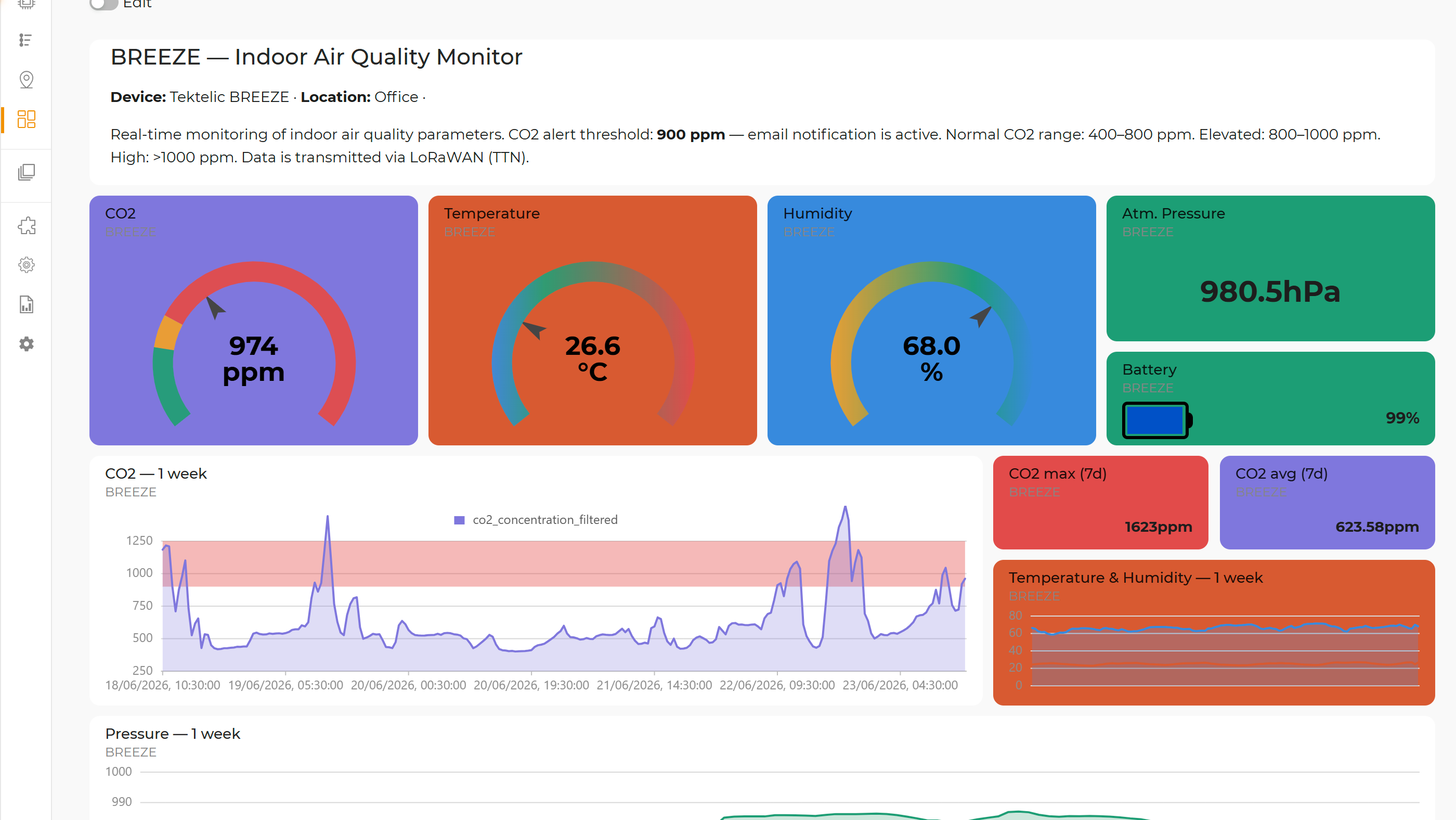
Integrators deliver the same solution again and again: the same sensors, the same dashboards, the same alert logic. Rebuilding it by hand for each customer takes days and introduces small differences that are hard to support later.
In Project Repository, click Create, add a name, description, image and your logo, then select the asset templates, dashboards, actions, solutions and reports to include.
Open the project from any organisation where you are an Admin and click Install. Templates, placeholder assets, site dashboards, actions, solutions and reports are created.
Point the placeholder assets at the customer's devices, add notification recipients, and enable the actions that are marked as needing configuration.
Projects are built for integrators who deliver the same solution to many organisations.
Asset templates, site dashboards, actions, solutions and reports in one package. Templates that selected items depend on are added automatically.
Webhook URLs, notification recipients and escalation users are removed when the project is created, so they never leak to another customer.
Actions that need setup are installed disabled and flagged “needs configuration”, so nothing fires before you have connected devices and recipients.
If an item with the same name already exists, the installed copy is renamed instead of overwriting it.
Uninstall removes everything the project installed, which makes pilots and demos easy to reset.
Each project shows its name, description, image and the “Developed by” vendor name and logo, plus the device models and content types it contains.
| Contents | Asset templates, site dashboards, actions, solutions, reports |
|---|---|
| Private projects | Available in every organisation where you are an Admin |
| Public projects | Curated by GreenMesh |
| On install | Creates templates, placeholder assets, dashboards, actions, solutions and reports; limits are checked first |
| Safety | Secrets stripped on export; actions needing setup start disabled |
| Removal | Uninstall removes all installed items |
The asset templates, site dashboards, actions, solutions and reports you select. Templates that the selected items depend on are included automatically.
You can install them into any organisation where you are an Admin, for example each of your customers' organisations.
No. Webhook URLs, notification recipients and escalation users are removed when the project is created. You add the right ones after installing.
No. Actions that need configuration are installed disabled, so you can connect devices and recipients first.
Tell us which solution you deliver repeatedly. We'll show you how to package it and roll it out to the next customer in minutes.